


The Pokemon Company previously announced a “special flying Pikachu” promotion for Scarlet and Violet, and the time has finally come to cash in on that offer.
Here’s a quick walkthrough of when you’ll actually unlock the mystery gift mechanic, and how to pick up your Pikachu. While this guide is Pikachu-centric, it applies to any mystery gift you earn in Pokemon Scarlet & Violet, including the DLC.
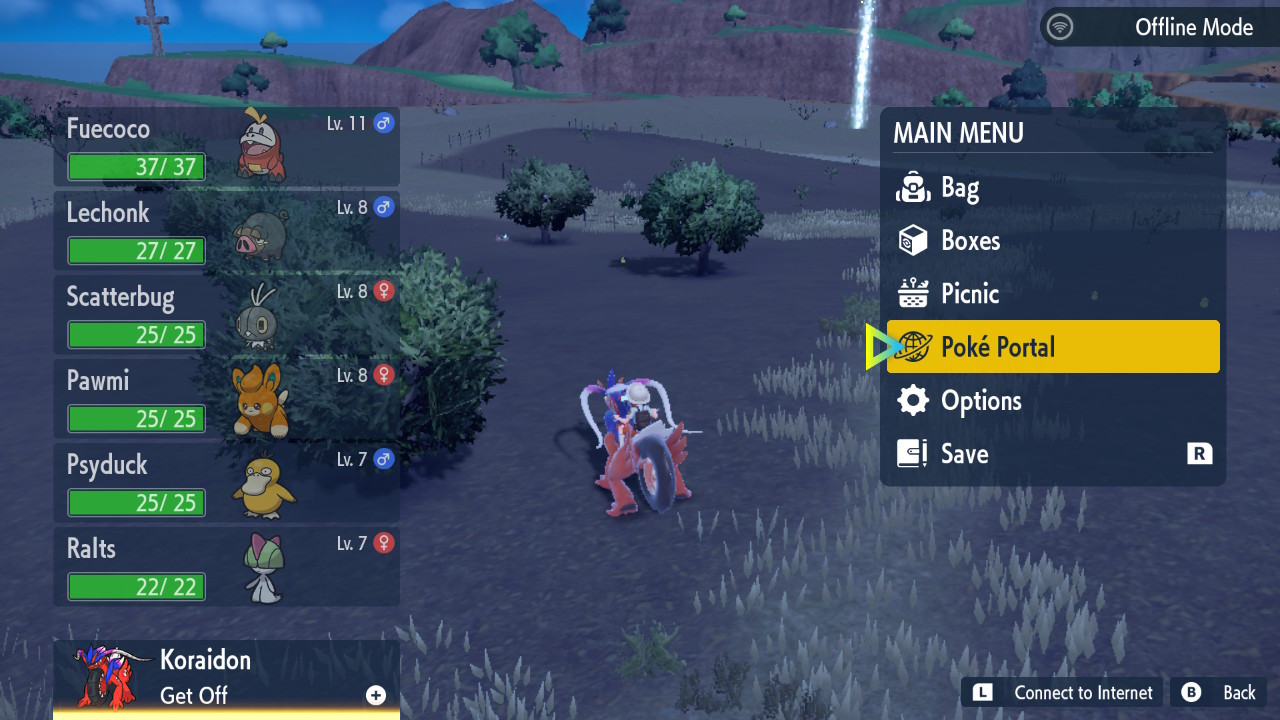
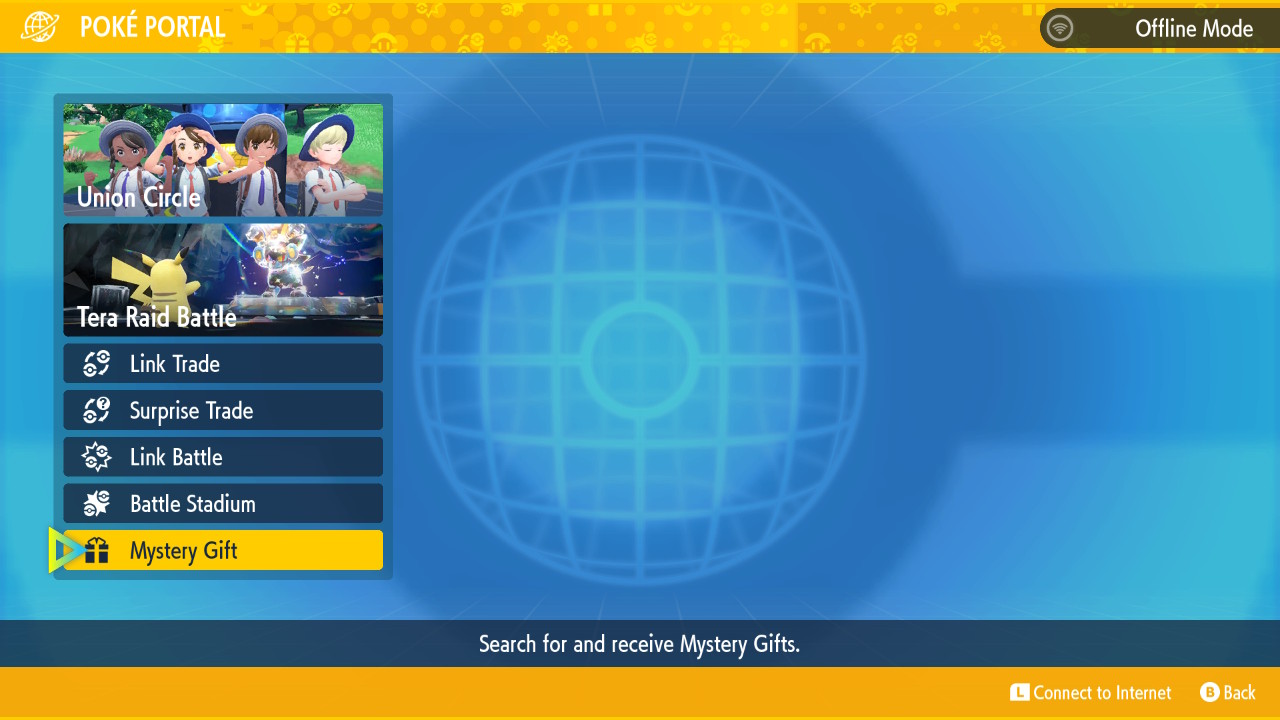


You can access the mystery gift screen after the tutorial is fully complete
After the treasure hunt starts (read: following your full tour of the academy), you can select the mystery gift option in the main X button menu.
If you’re really itching to get your Pikachu and want to know exactly how much time you have left to unlock mystery gifts, we have a full breakdown of the tutorial sequence here.


Once you unlocked it, boot up mystery gift and go online
Here’s how to find the mystery gift menu:
- Press X and select “Poke Portal”
- On the Poke Portal screen, scroll down and find “mystery gift,” then select that option
- Select “get via internet”
- Once you connect, it’ll showcase the “Flying Tera Type Pikachu Gift,” though any other active mystery gif promotions will show up as well: select it!
That’s it! Pikachu is Pokemon number 74 in the Paldea region. It’ll show up as a normal Pikachu, but using the terastallizing mechanic will let you see its true promo form.


